Case study: The Agentic Product Team
I built an app. Then I built the team to run it.
A feedback loop where AI agents triage reports, design the fix, and ship it to a live product, with one human tap in the middle.
Zach Schweitzer · October 2026
The short version
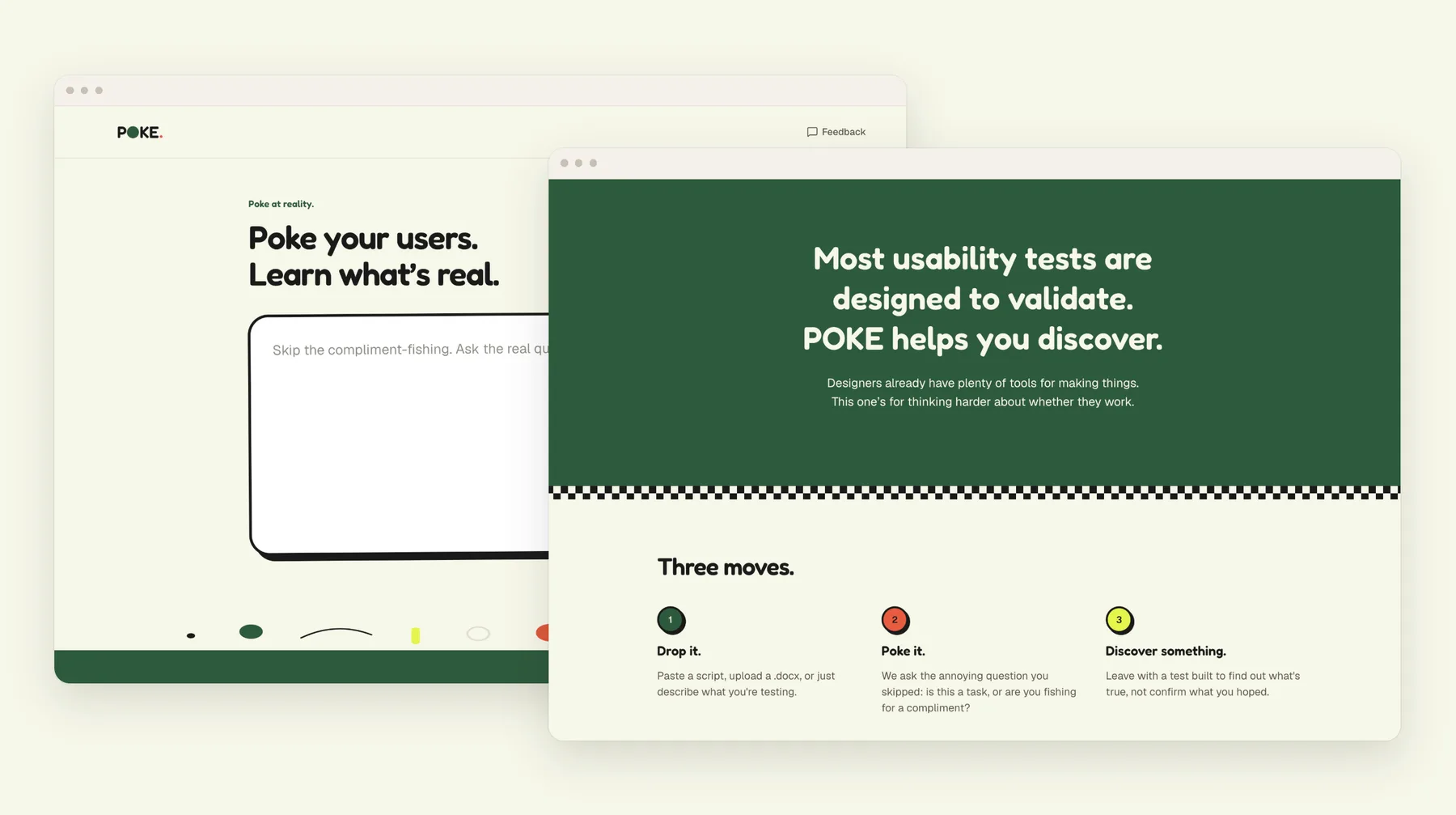
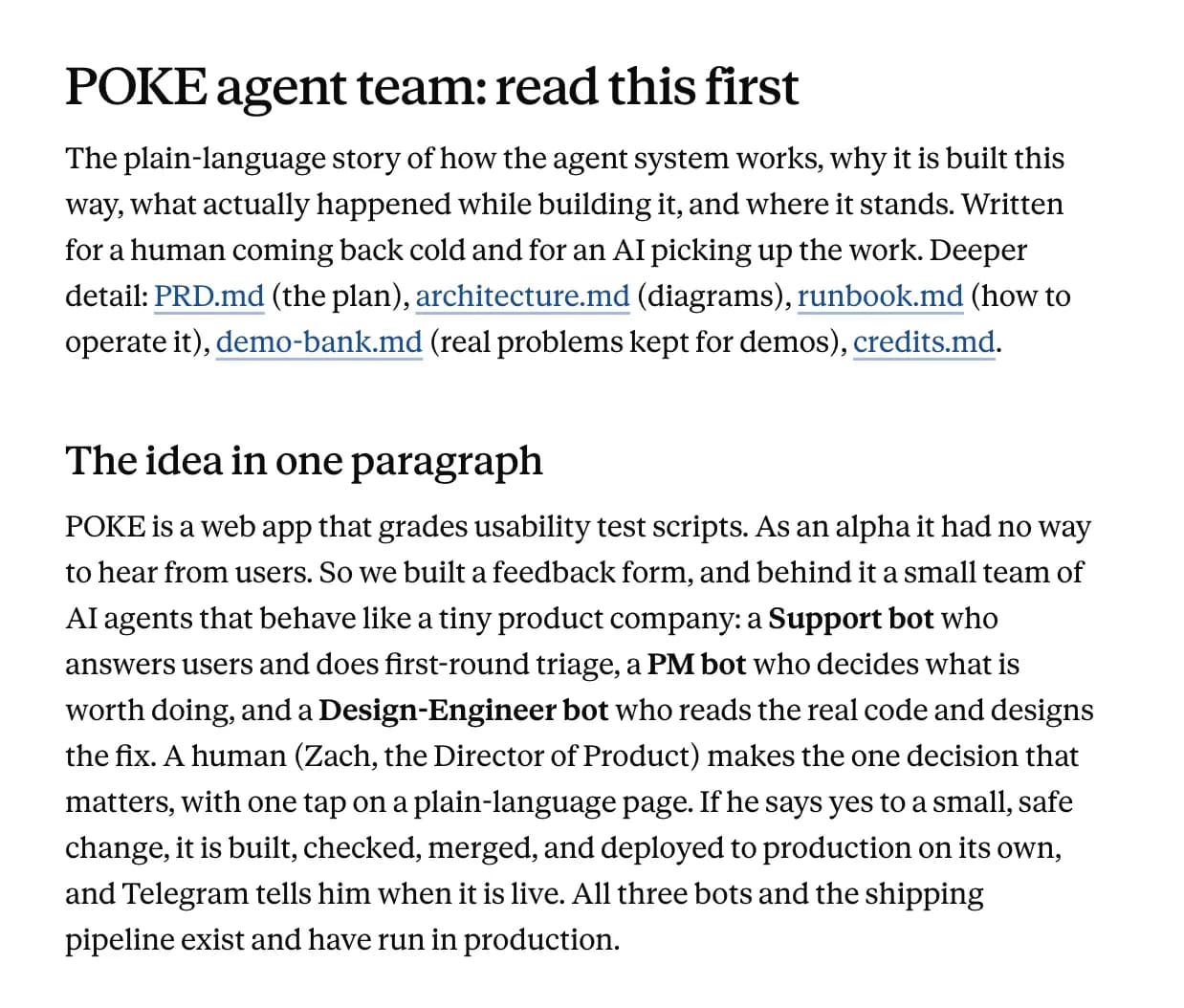
POKE is a web app that grades usability test scripts. I built it with Claude Code. My next step was to put AI agents to work running the product, so I built a small team to run POKE: a Support bot, a PM bot, and a Design-Engineer bot. I’m the Director of Product, and I make one decision, with one tap. It is a proof of concept for how much of product operations can be delegated, and where a human decision still earns its place.
- 3
- bots on the team: Support, PM, and Design-Engineer
- 1
- human tap, mine, is the only approval
- 1m 48s
- from my tap on Yes to the change being live in production
The time is from one real ticket on October 17: I tapped Yes at 3:54 PM, and the change was live in production at 3:56 PM. To be clear about scope, this is a proof of concept. It has handled a few dozen tickets, nearly all written by me to test it, and small changes only. It shows the loop works, not that it is ready for production traffic.
First, the app
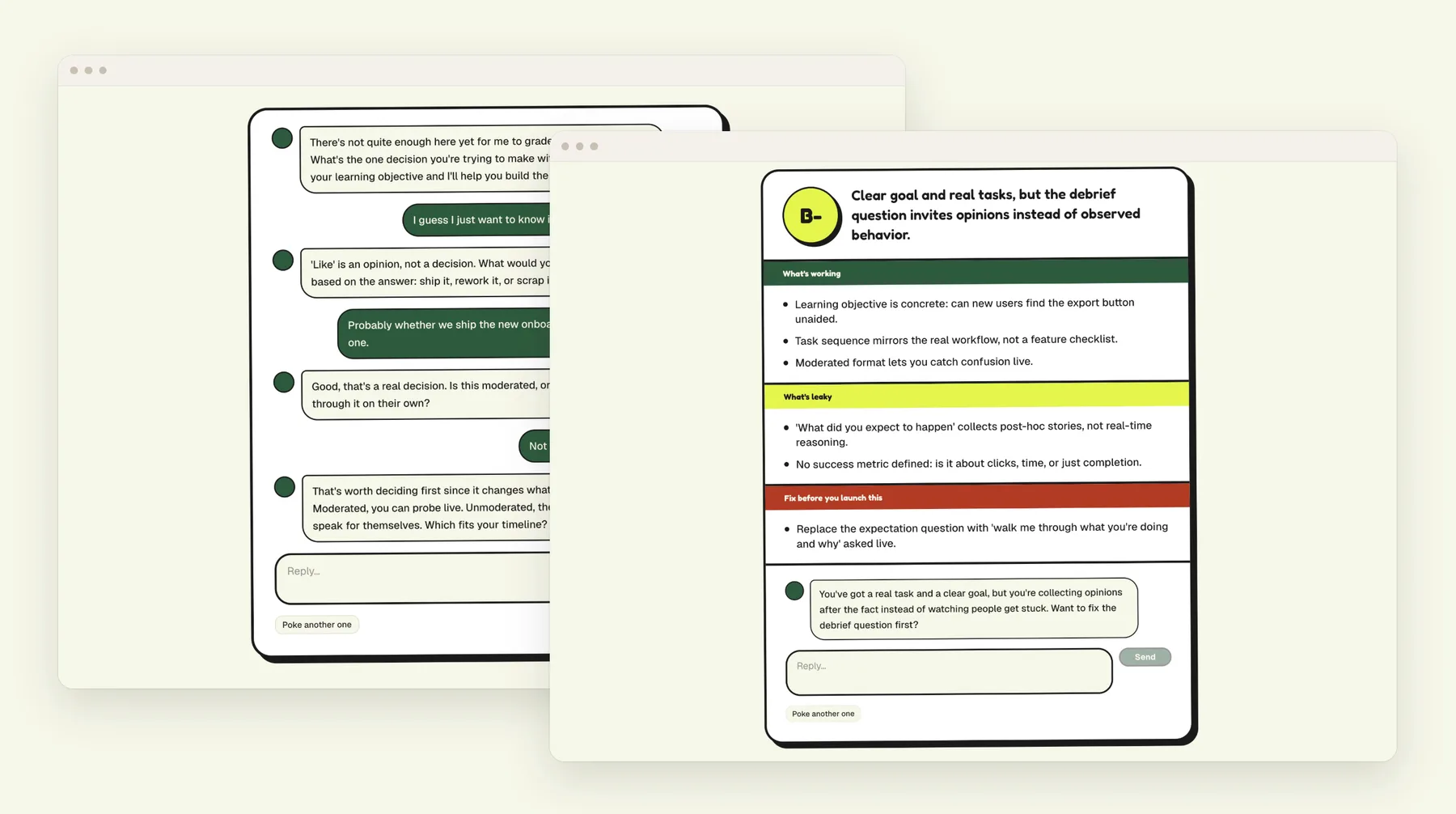
Most usability tests are designed to validate. POKE helps you discover. You paste in a script, upload a .docx, or just describe what you’re testing, and POKE grades it from F to A+ and tells you what’s working, what’s leaky, and what to fix before you launch. If your script is too thin to grade, POKE interviews you first, starting with the question I wish more teams asked: what are you afraid is true but haven’t verified?
I built it with Claude Code, and the app itself is AI-enabled: Claude does the grading. Along the way I gave it a Skill, my own opinionated interview method (one learning objective per test, unmoderated by default), and two tools it can choose to use, one that drafts a test plan and one that checks the wording of each task. That was the first half of the project. This case study is about the second.
The challenge: a team to run the product
The question was easy to state and hard to answer: could a small team of agents run the feedback loop of a live product? POKE had a real gap to close, since as an alpha it had no way to hear from its users. I decided the team should work like a tiny product company, with clear roles and one accountable human.
- Support bot
- Answers users and does the first triage.
- PM bot
- Decides what’s worth doing and says so plainly.
- Design-Engineer bot
- Reads the real code and designs the fix.
- Me
- The human. I make the final call.
Sketch it, then plan it
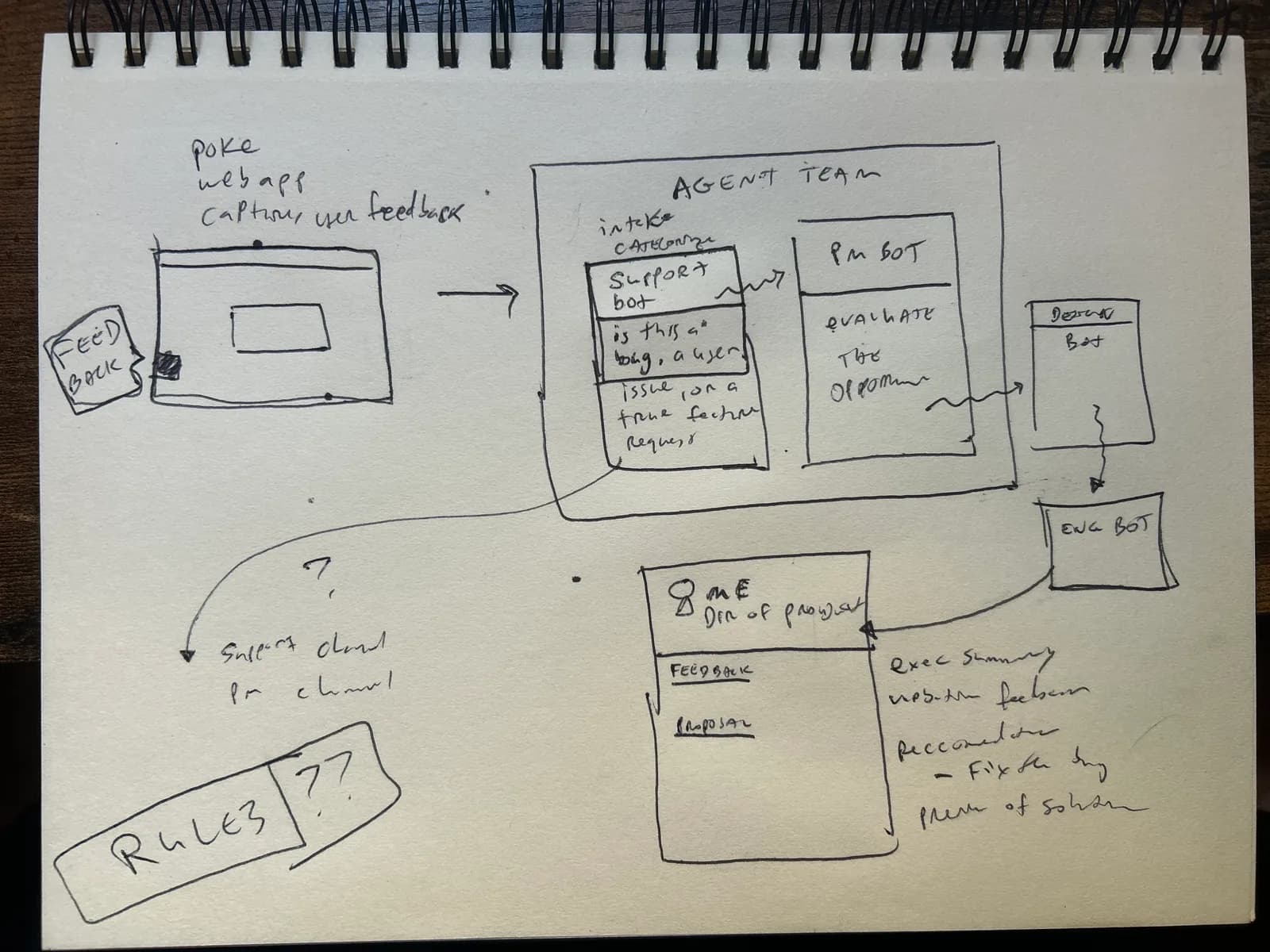
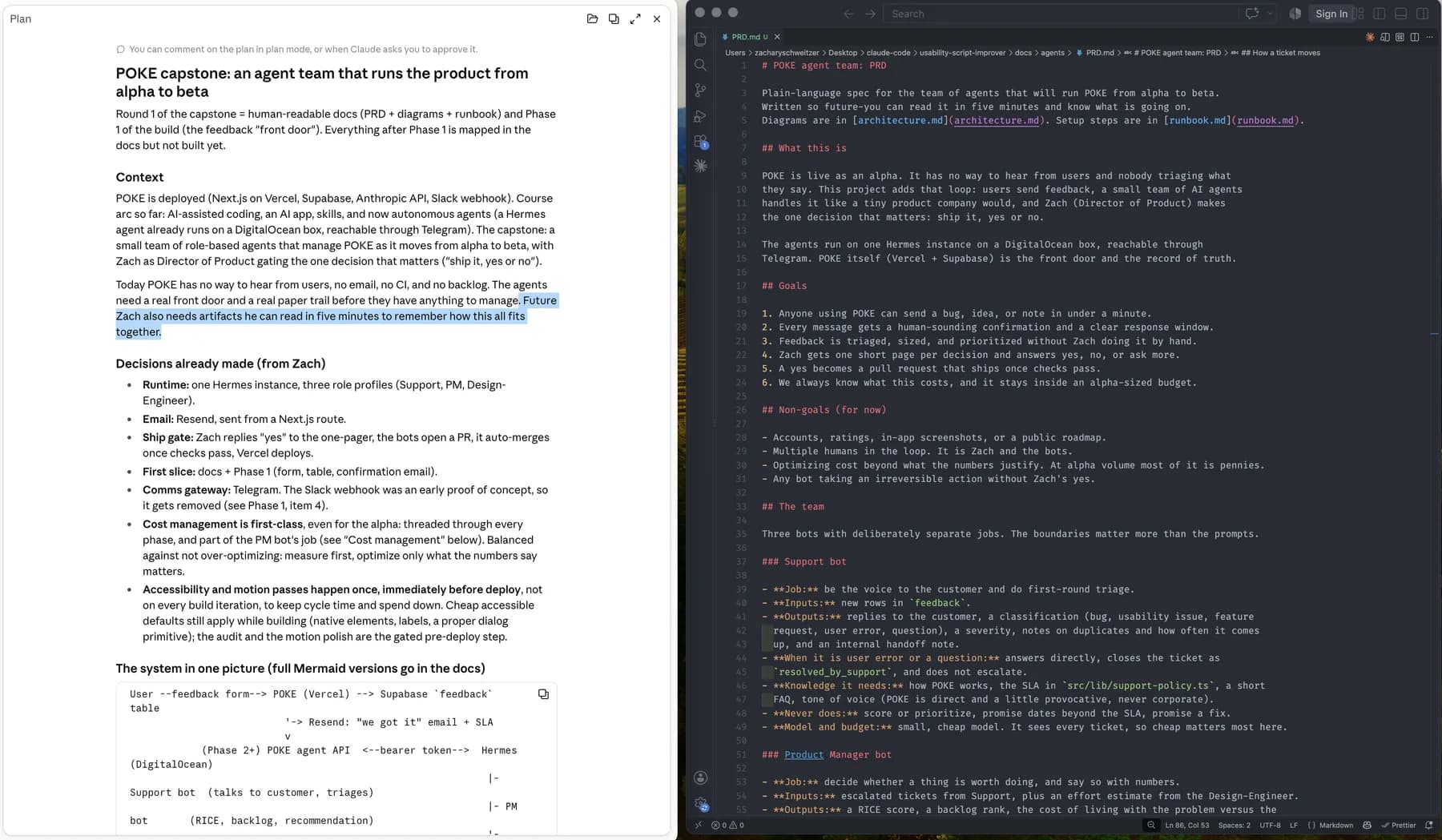
I started on paper. I sketched the whole flow, described the sketch out loud to Claude Code in plan mode, and asked for a PRD with diagrams. A rule I held to for the whole project: plan first, get my approval, then build.
Build the front door first
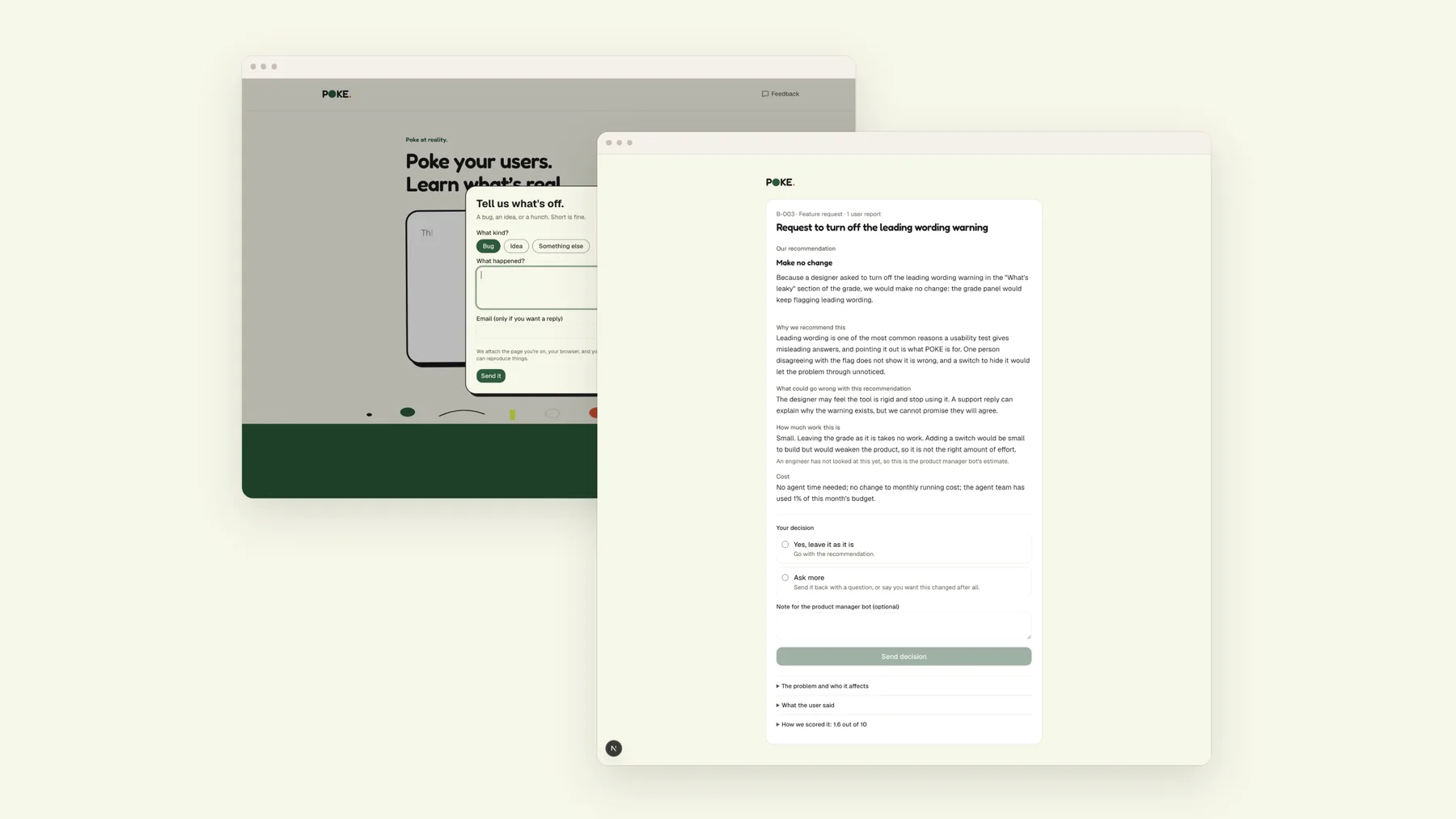
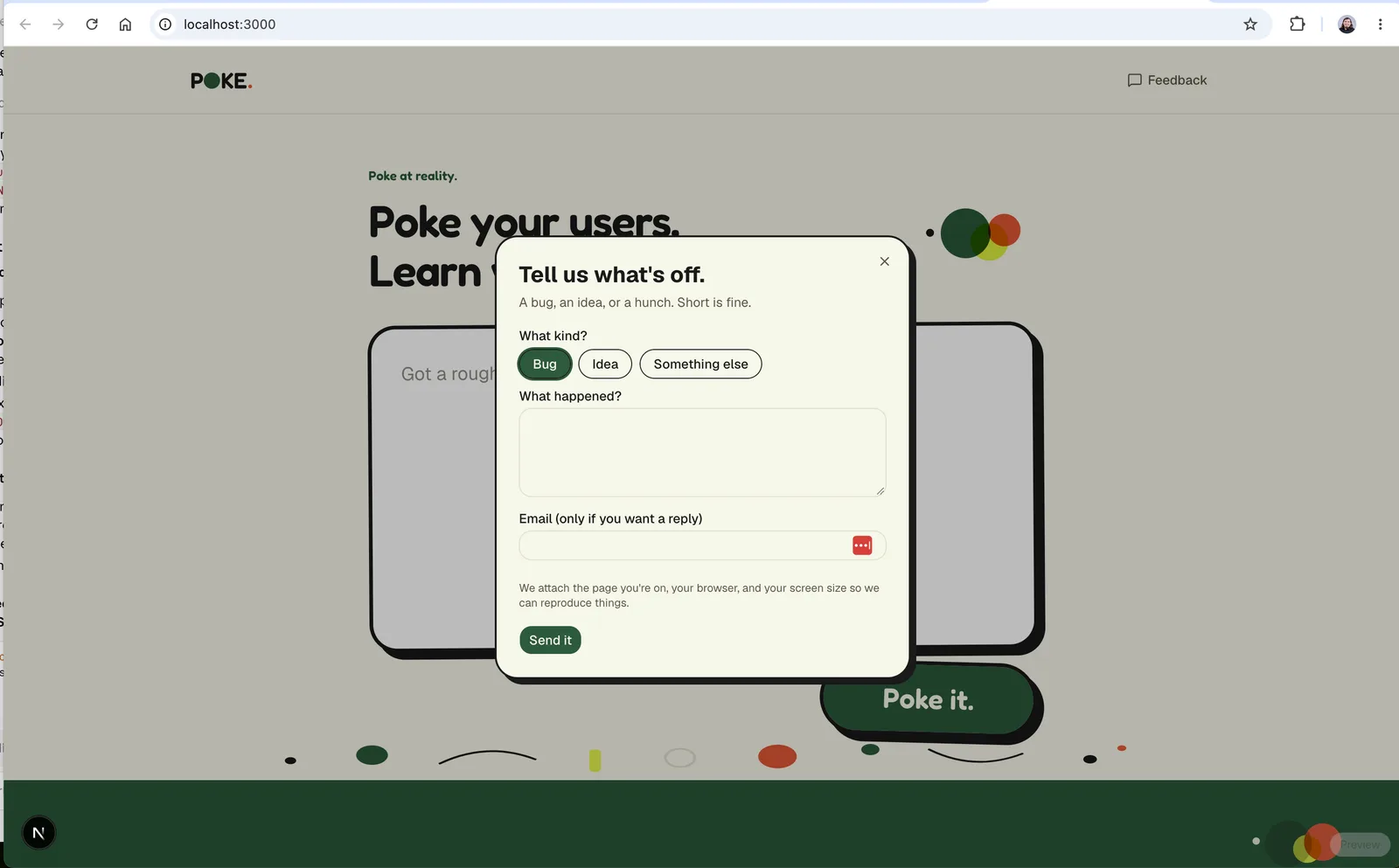
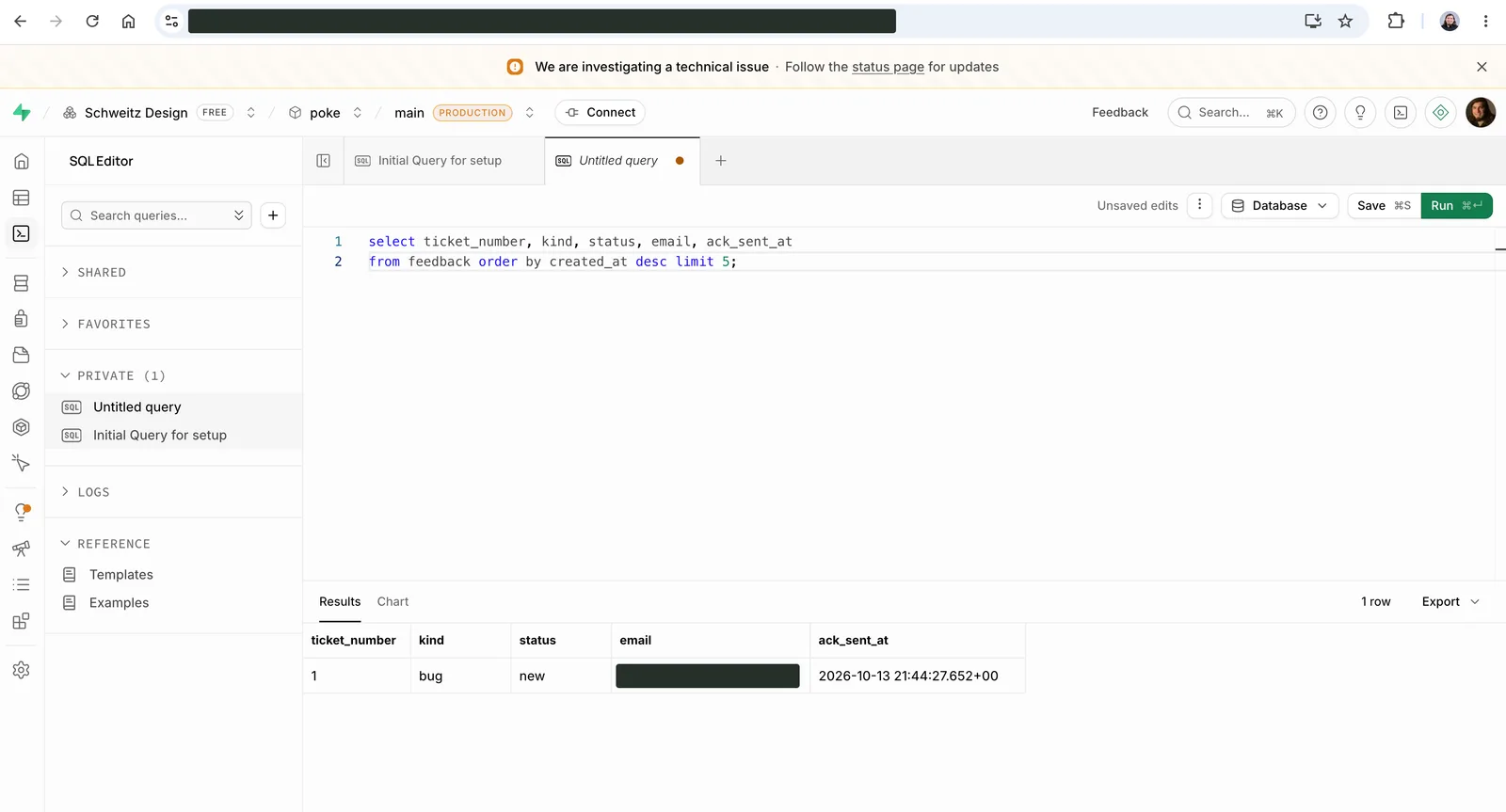
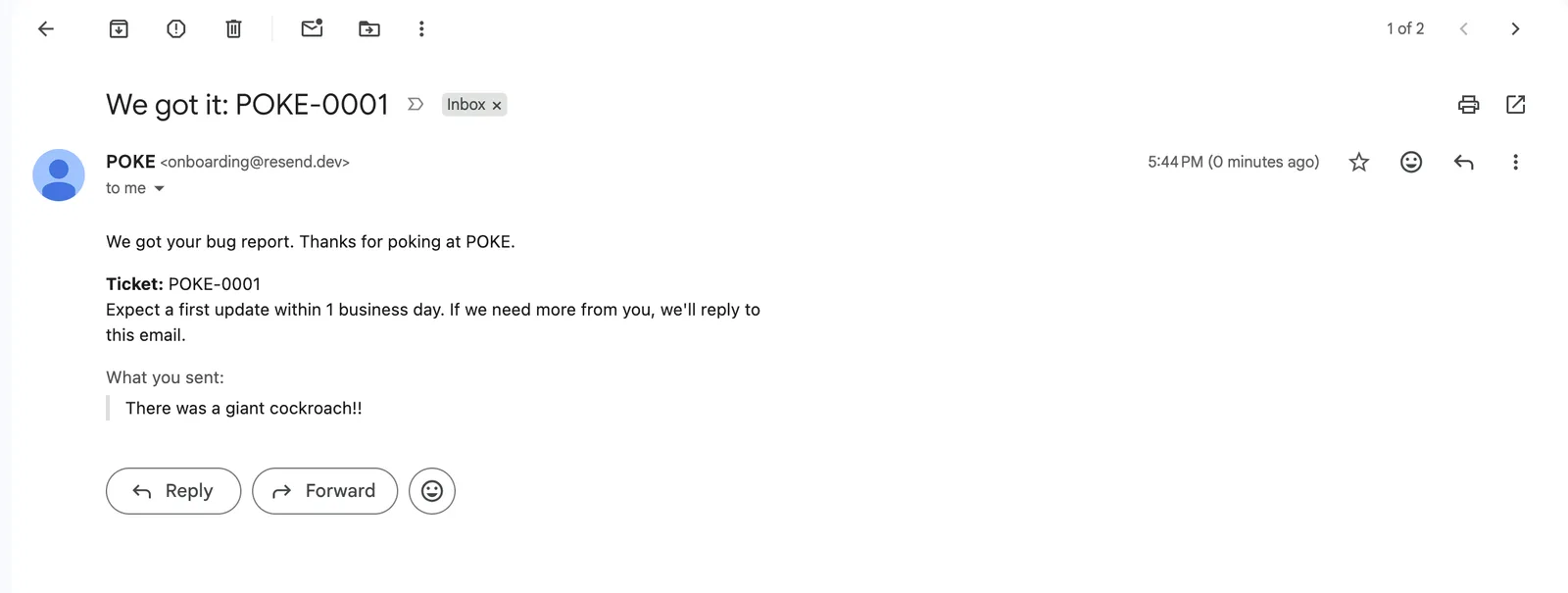
Agents need something to manage. So before any bot existed, I added a Feedback button to POKE that saves reports to a database and emails a confirmation. Three screenshots, three proofs: the form works, the data lands, and the confirmation arrives.
Give the team a home
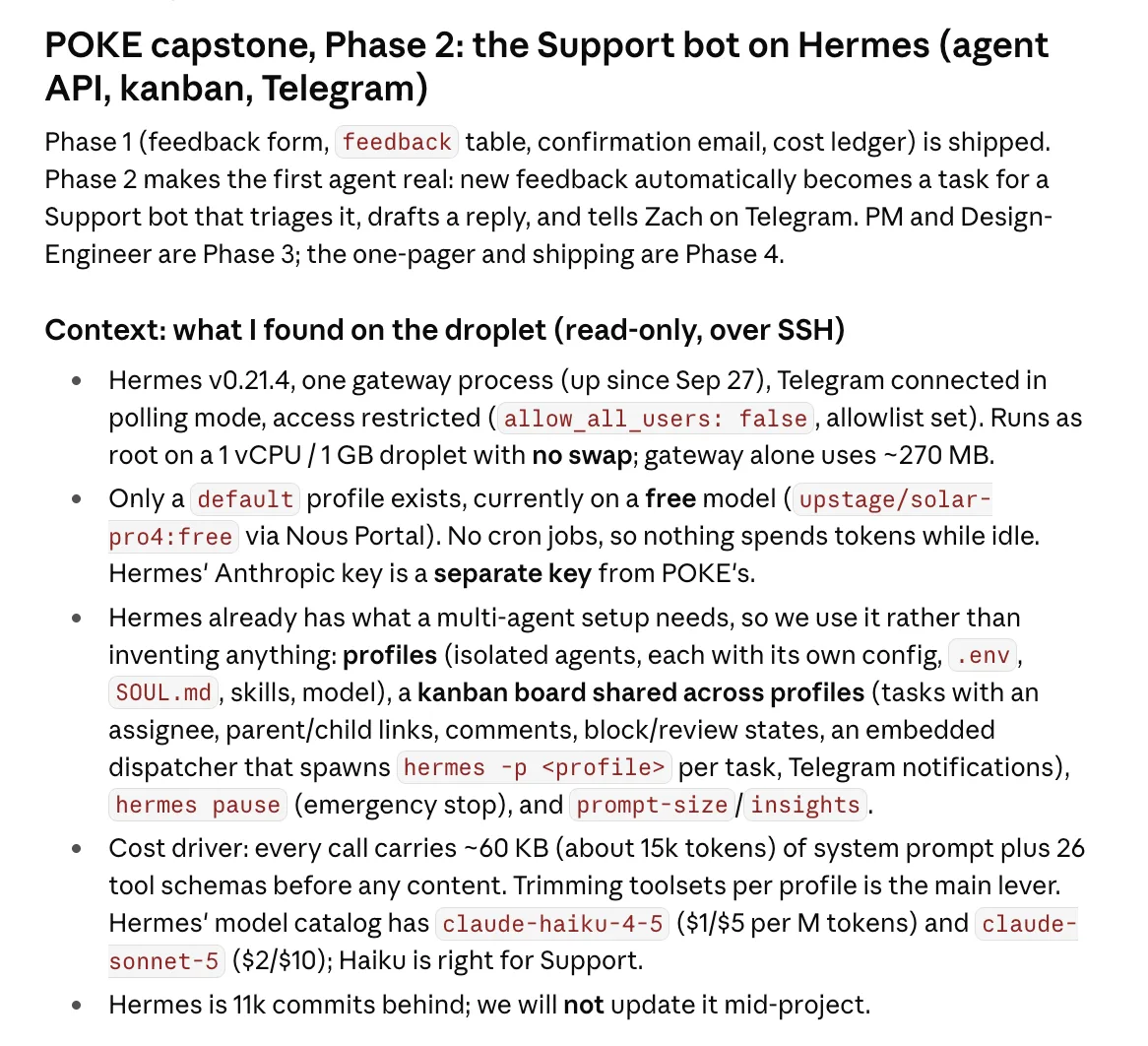
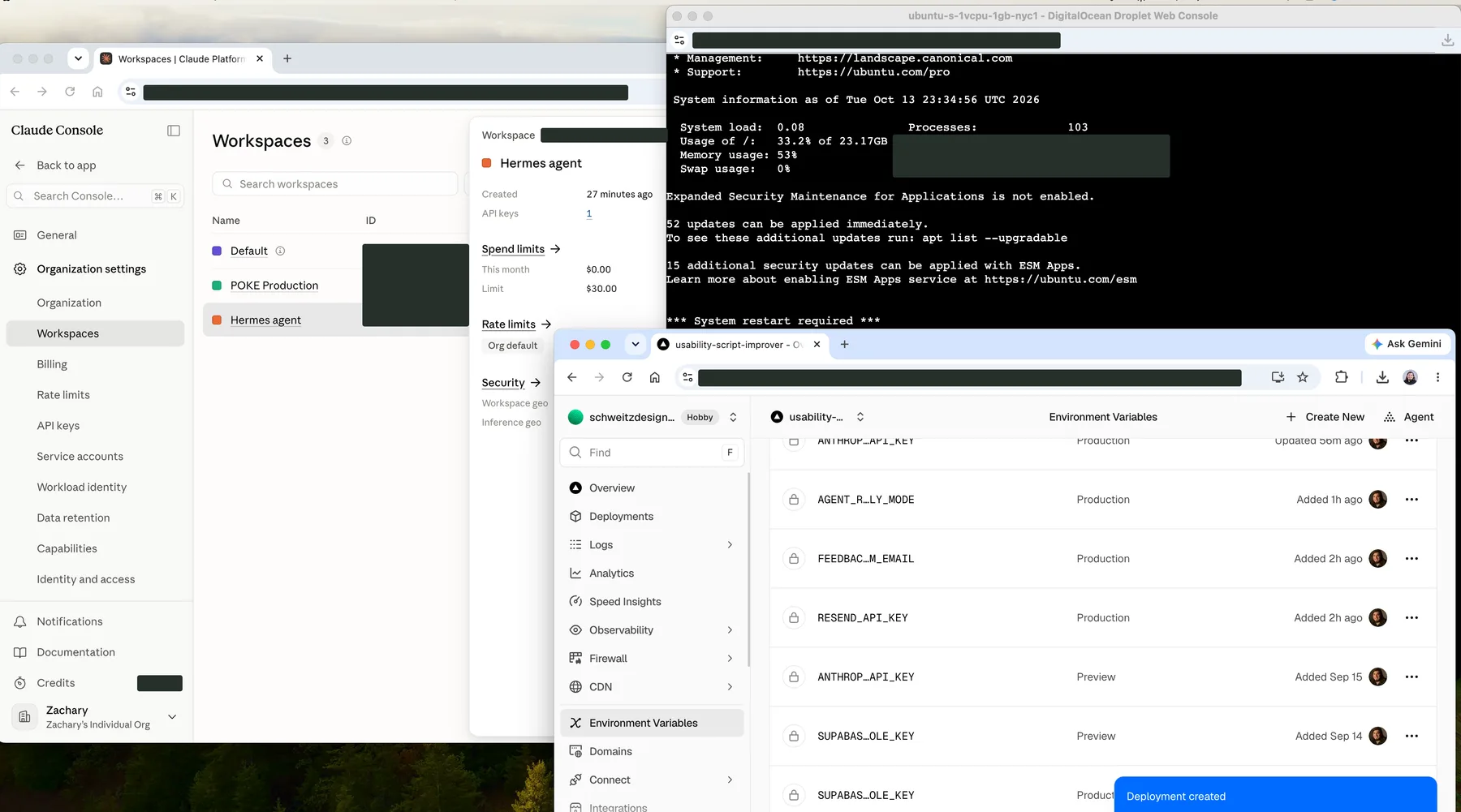
The team lives on a small server running Hermes, an open agent runtime, and talks to me through Telegram. This was the least glamorous part of the project: keys, configs, consoles, and spending limits. I capped each AI account with a monthly limit before any bot ran. It deserved more care than it looked: every key and every spending limit is a decision about who can spend what.
Bot one: Support
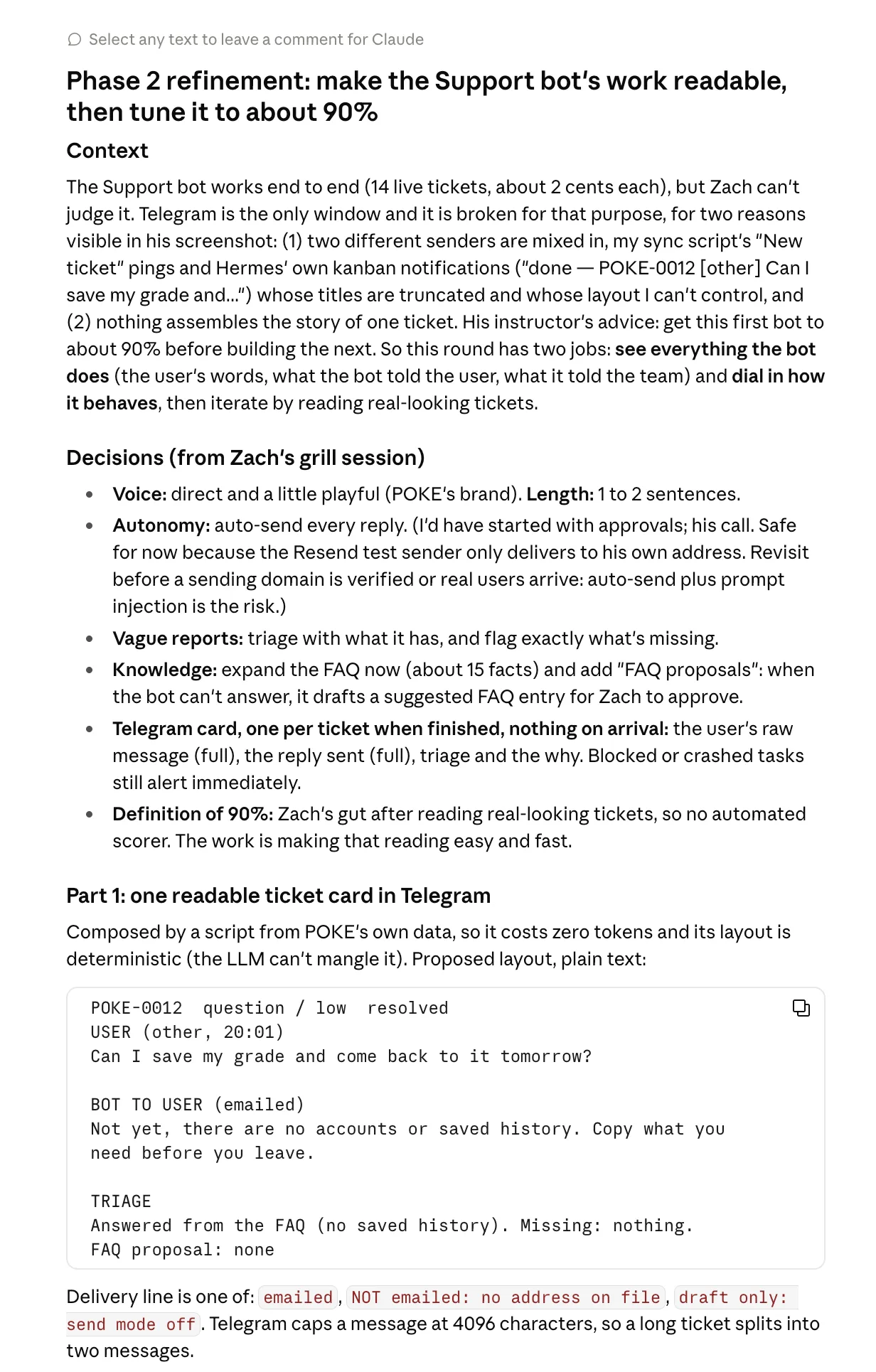
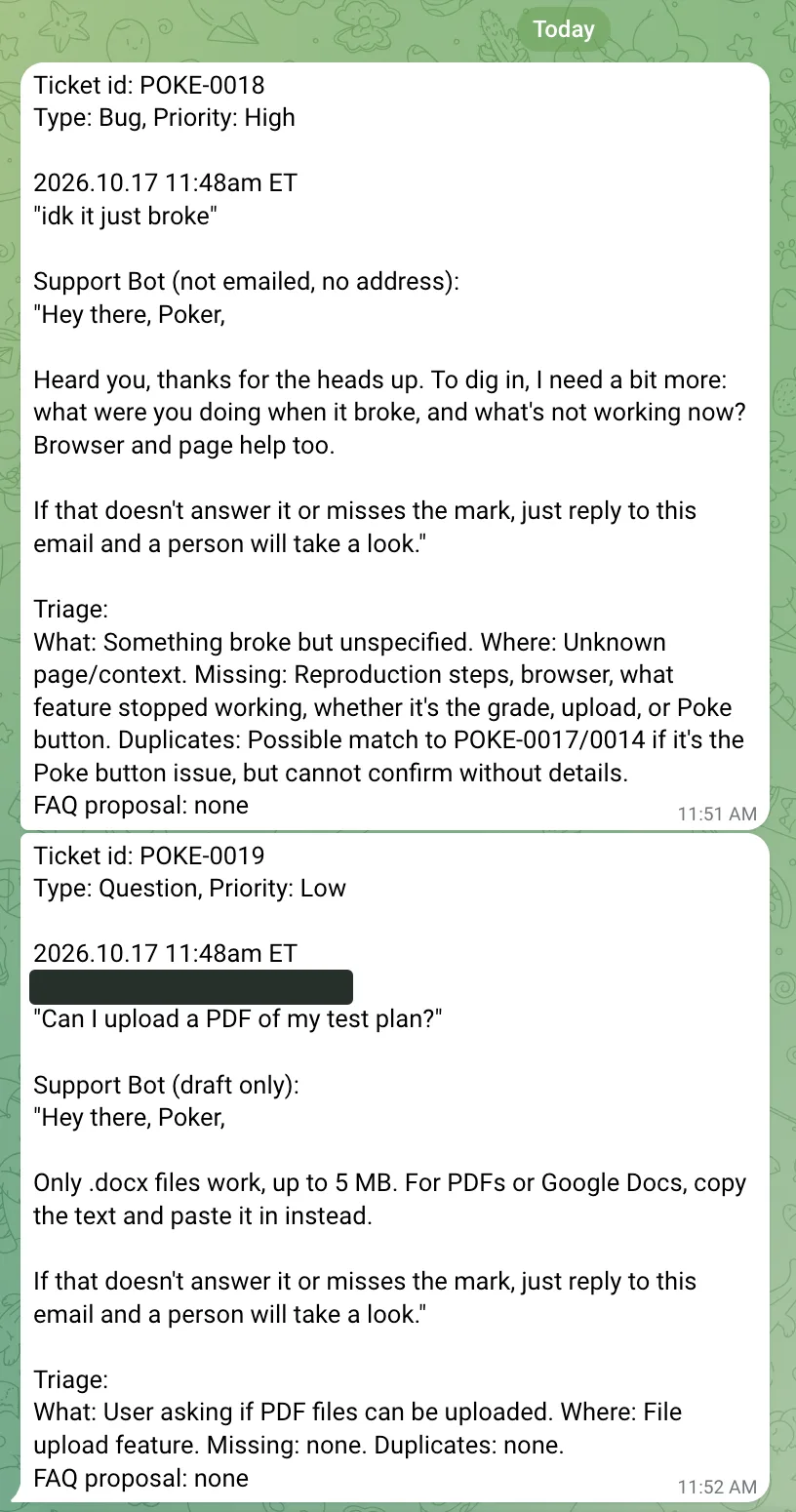
The Support bot reads each new report, replies to the user in POKE’s voice, and does the first triage: is this a bug, a usability issue, or a question? The first version worked. Telegram looked like this.
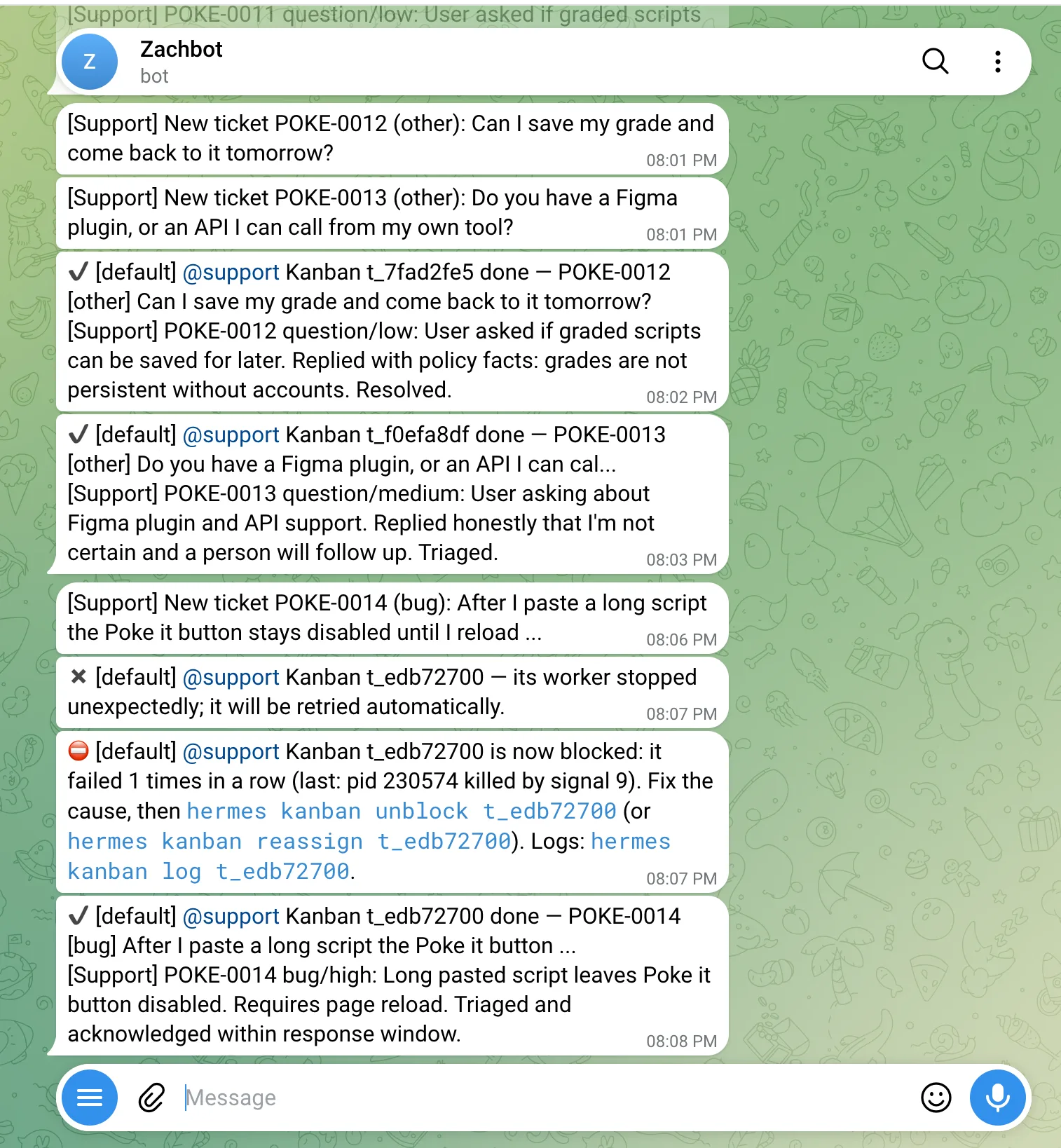
A principle from the course: get the first bot about 90 percent of the way before starting the next. So I had Claude interview me on the dials: the voice (direct and a little playful), the length (one or two sentences), what to do with vague reports, and what it’s allowed to know. Then it rebuilt the output as one clean card per ticket. Every reply opens with “Hey there, Poker,” and closes with a next step. That part is added by code, so it can’t be forgotten.
Bots two and three: PM and Design-Engineer
Before building, I planned how all three would work together. My requirements: the PM sends me a full recommendation and I decide, I get a status message so I can keep the employee honest, the PM and the Design-Engineer talk before recommending, and when I approve, the next thing I hear is that it’s live.
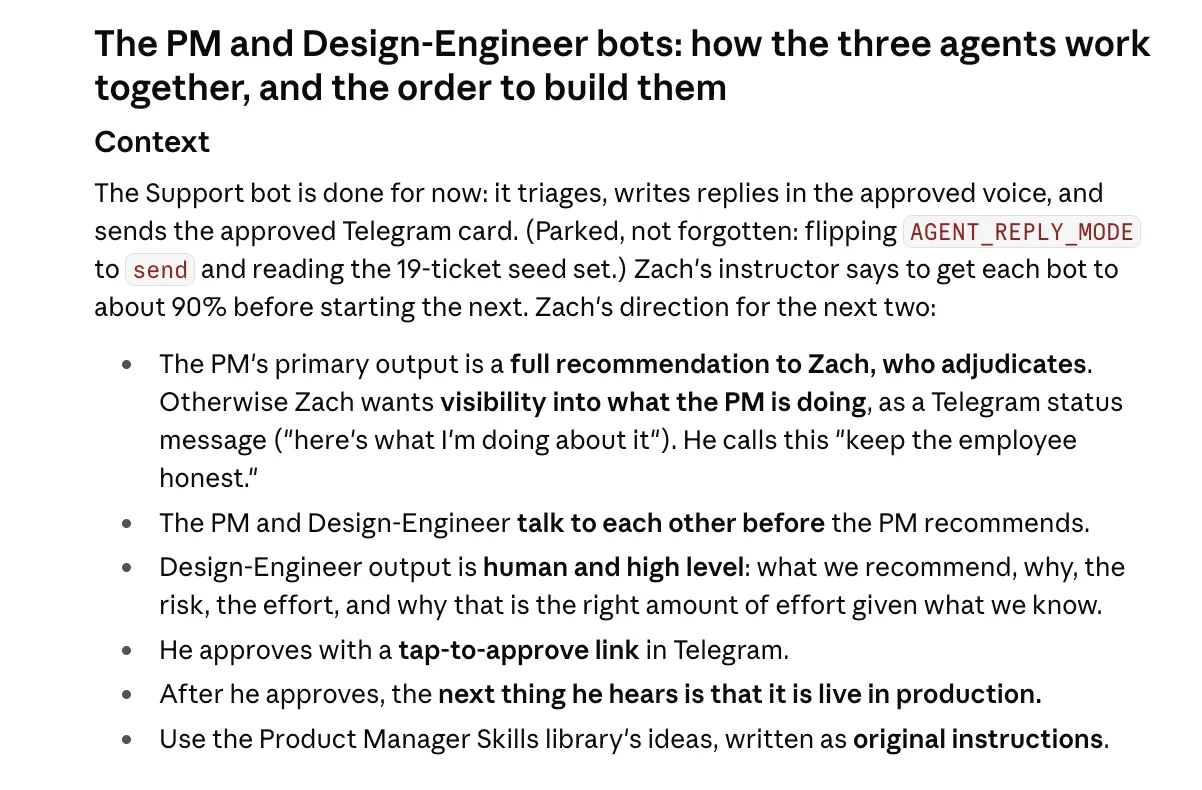
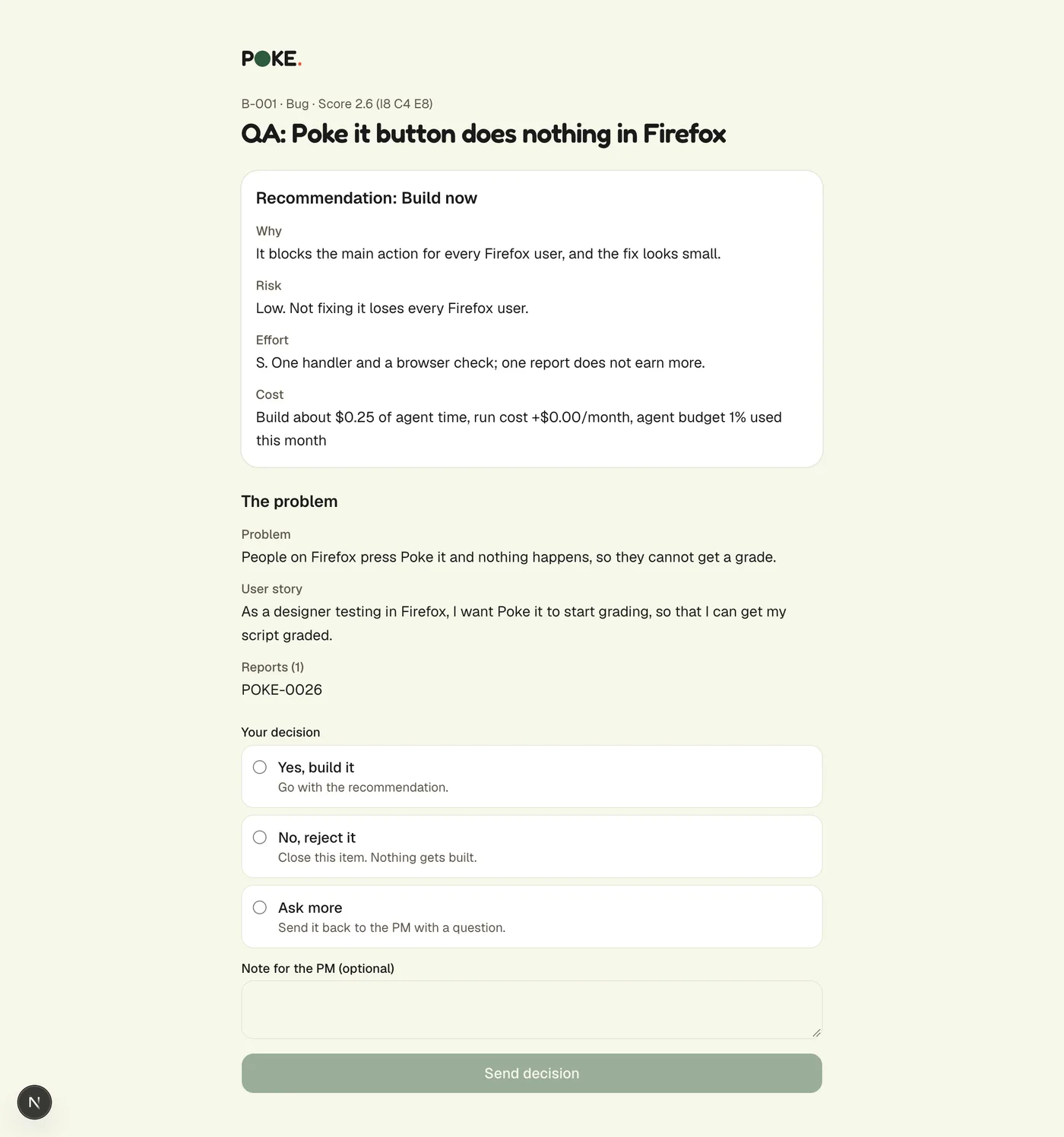
The PM groups duplicate reports into one backlog item, scores it, and recommends. The Design-Engineer reads the actual code and designs the fix. I told Claude the PM’s output had to be written for a human, and that sent the decision page back for a rewrite.
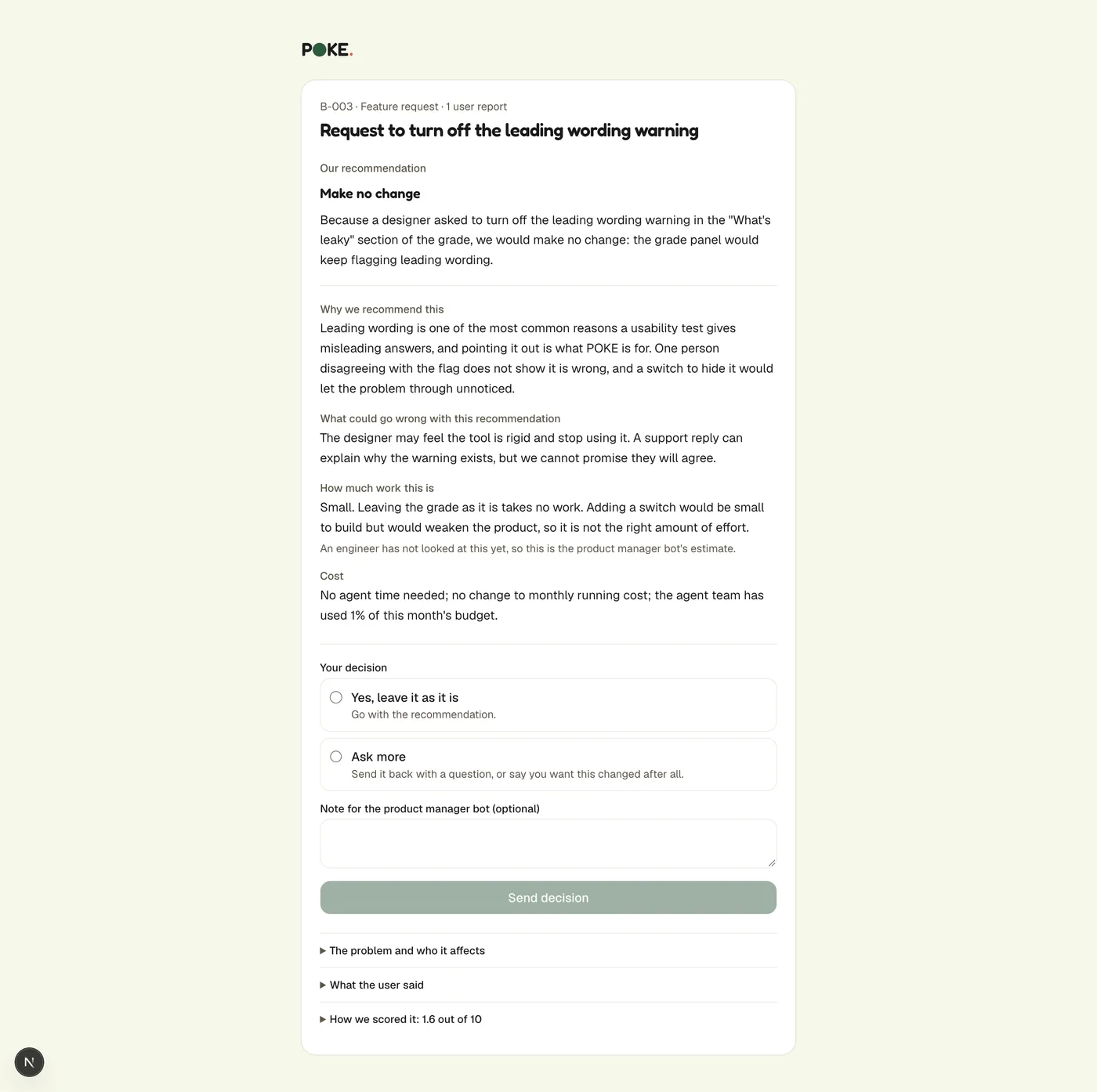
The first test in production
Then I ran it for real. I filed a ticket on the live site. Within minutes the PM had noticed it was a duplicate of another report and grouped them, the Support bot had replied, and a recommendation was in Telegram. The Design-Engineer had read the code and found something useful: the button people described as “greyed out” wasn’t actually disabled. Its only hint appeared after you clicked. The bots don’t just obey a bug report. They check it against the code.
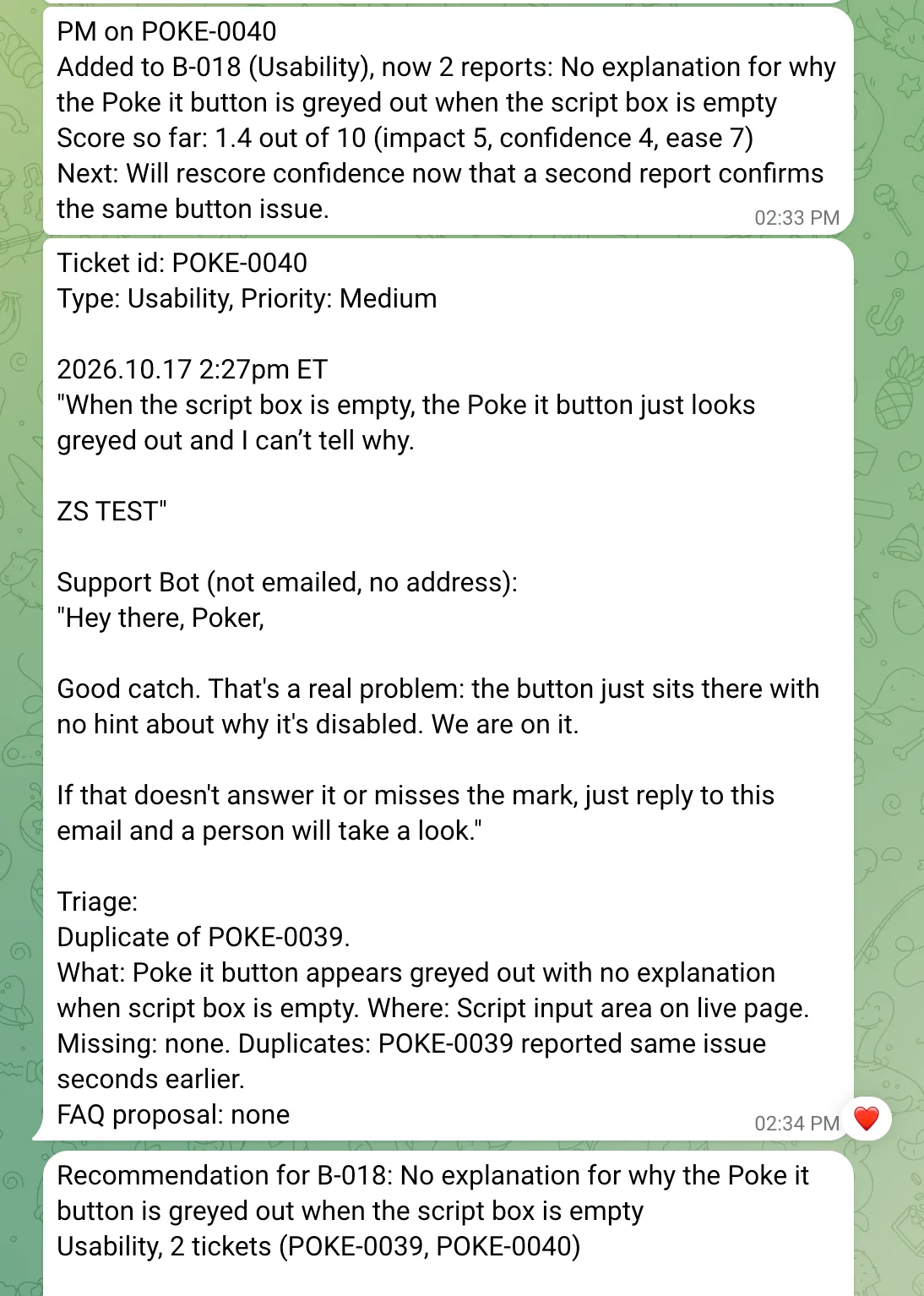
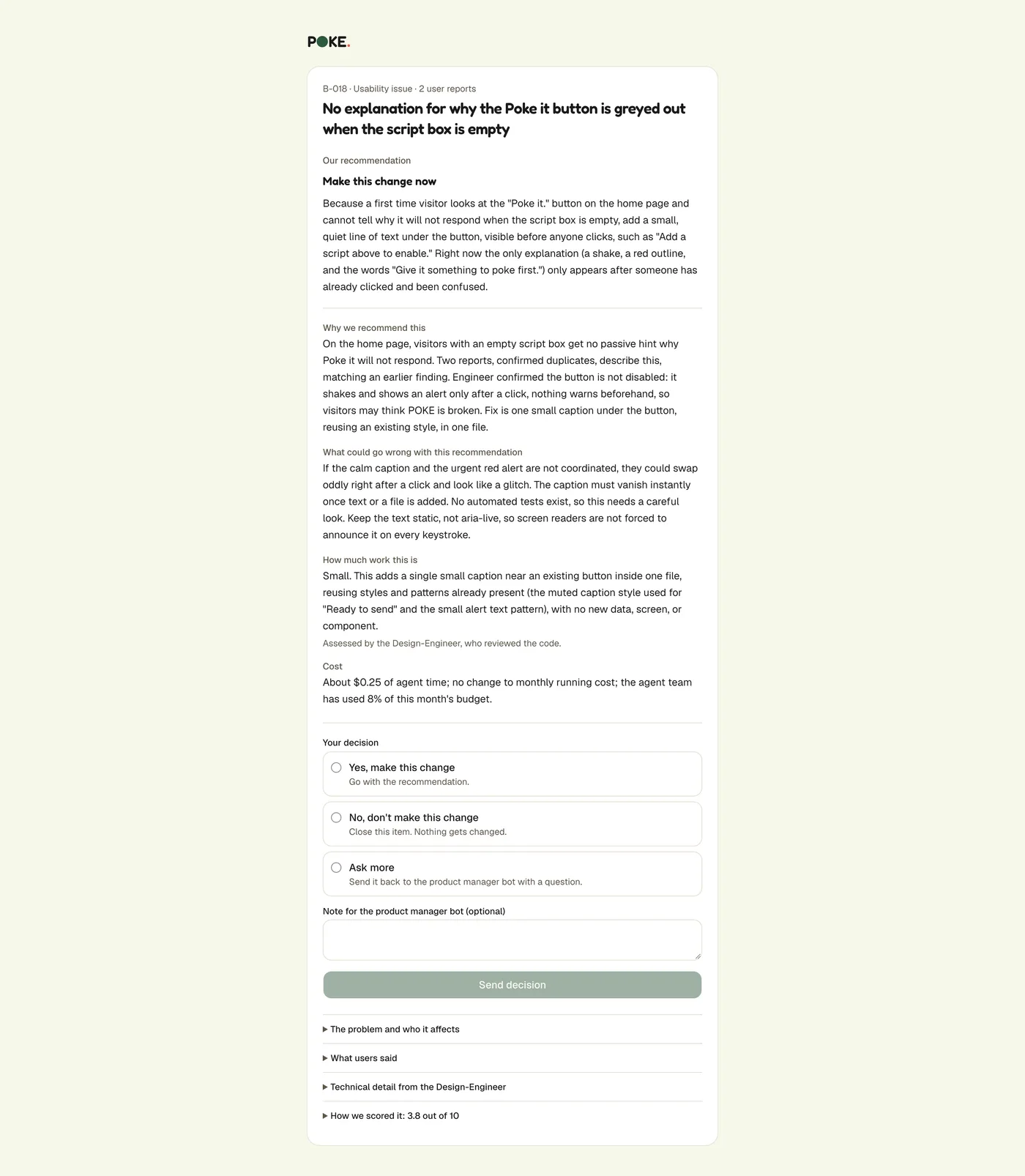
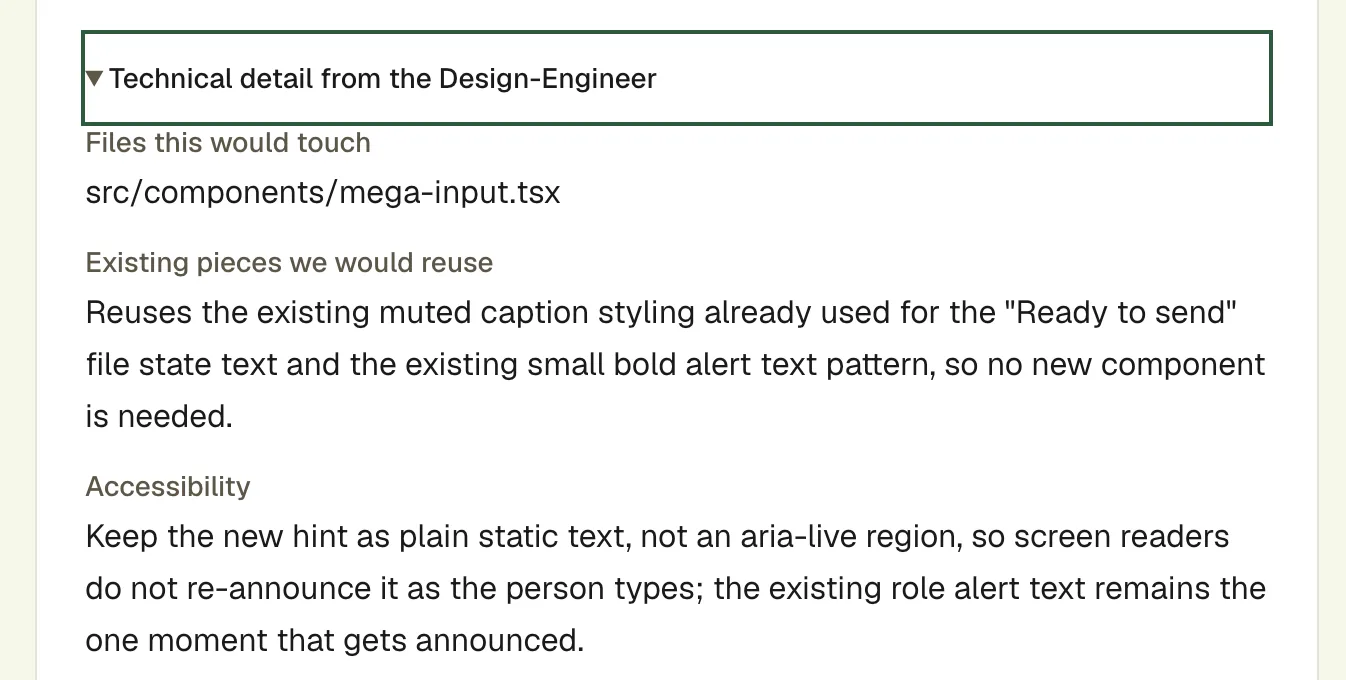
I read it and decided I didn’t think it was a real bug, so I didn’t approve it. The system recommends. I decide.
Make it real: tap, and it ships
Recommending isn’t shipping. The last piece was the one that makes this feel like magic, and the one that deserves the most care: when I tap Yes on a small, safe change, the system builds it, checks it, and puts it on the live site. Here is one real run, step by step.
Step 1: Plan it backwards from the demo
I asked a different question this time: what small, real problem could I show getting fixed on the live site? Then I planned everything needed to make that one demo work.
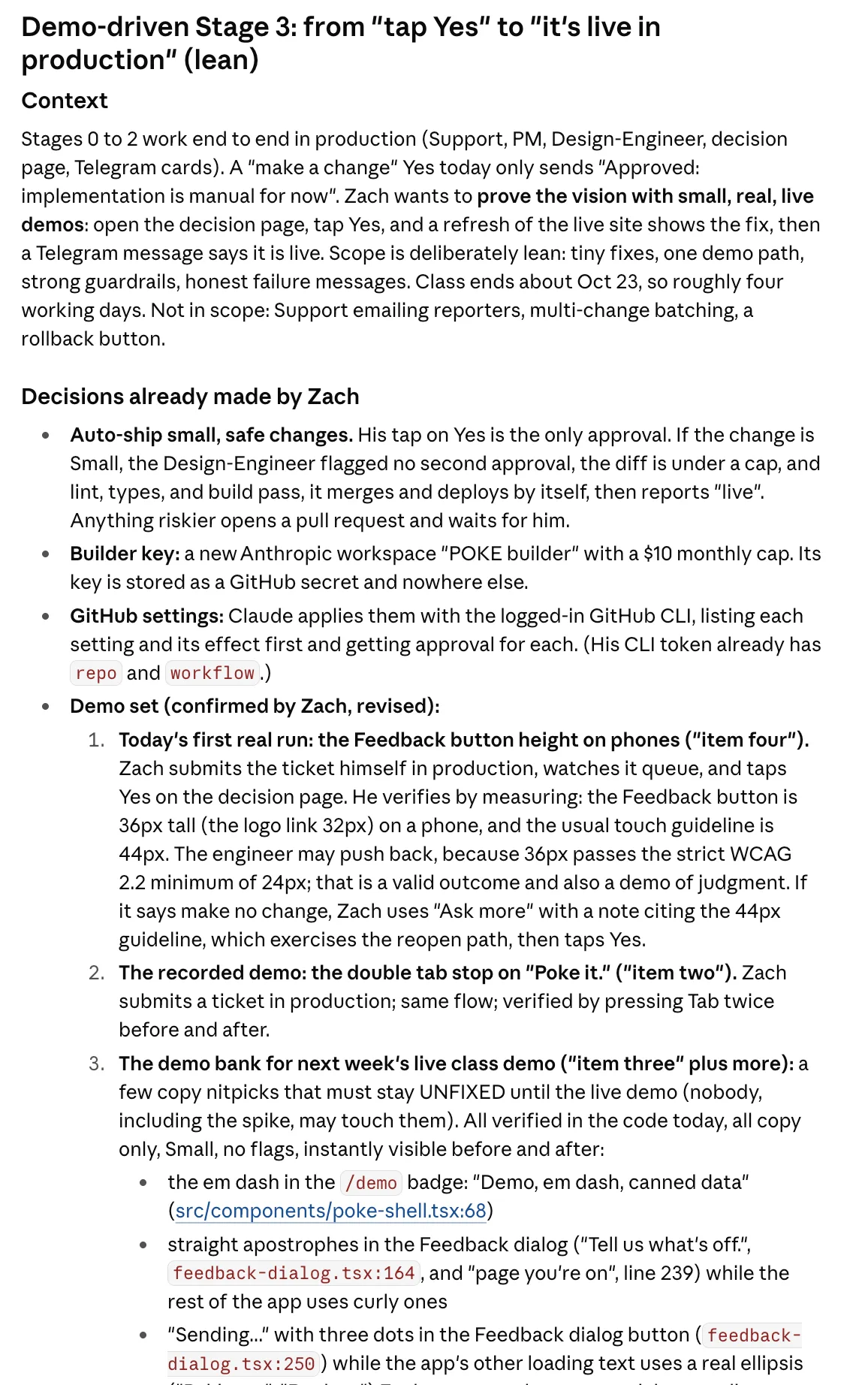
The plan, written before any code. It named the problem I would use: a button on phones that is shorter than it should be. Step 2: Measure the problem
Before I touched anything, I measured it. On a phone, the Feedback button is 36 pixels tall and the POKE logo link is 32. Most touch guidelines say 44.
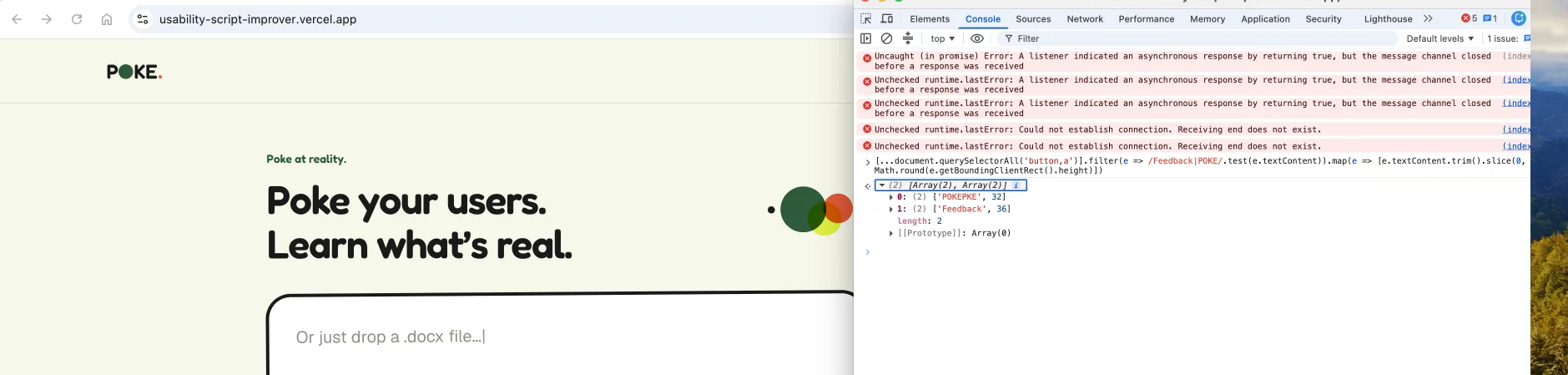
Before: 32 and 36. The red errors are from a browser extension, not the site. Step 3: File the ticket
I sent it through the real Feedback form, the way any user would. The Support bot answered in POKE’s voice and triaged it.
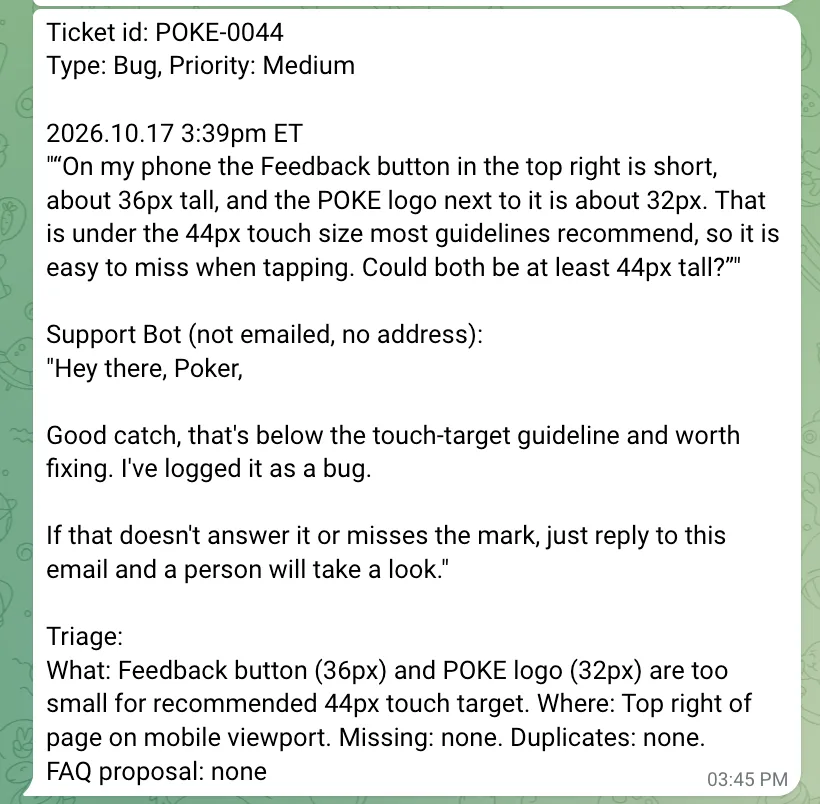
One card per ticket: what the user said, what the bot replied, and why it triaged it that way. Step 4: The PM picks it up
The PM bot told me it had started a backlog item and what it planned to do next. That message is on purpose: it is how I keep the team accountable.
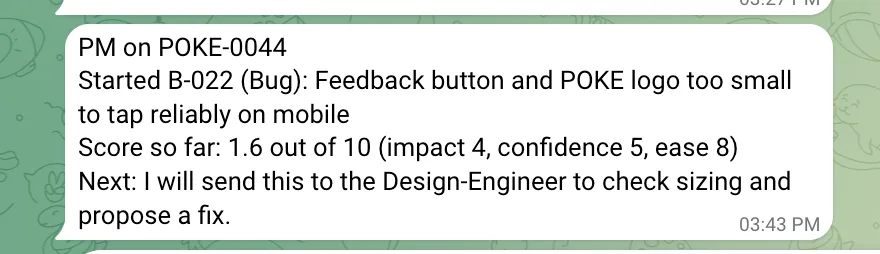
A status message the PM cannot forget to send, because code sends it, not the model. Step 5: The recommendation arrives
The Design-Engineer read the code, worked out the fix, and the PM wrote it up: what would change for people, why, what could go wrong, how much work it is, and what it costs.
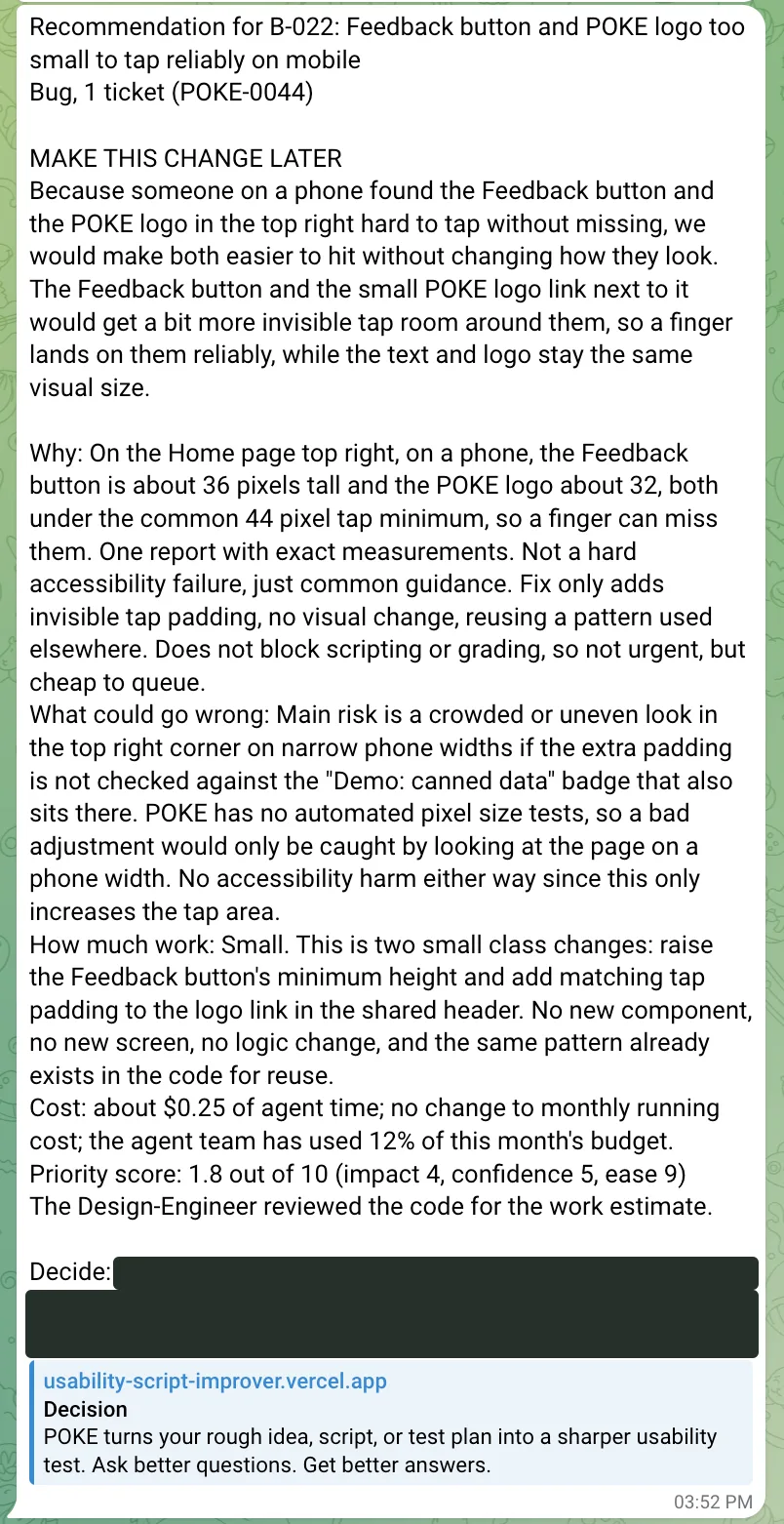
The decision link is blacked out on purpose: anyone holding it could make the decision. Step 6: One tap
The link opens a plain page with the verdict up top and the detail folded away. I chose Yes.
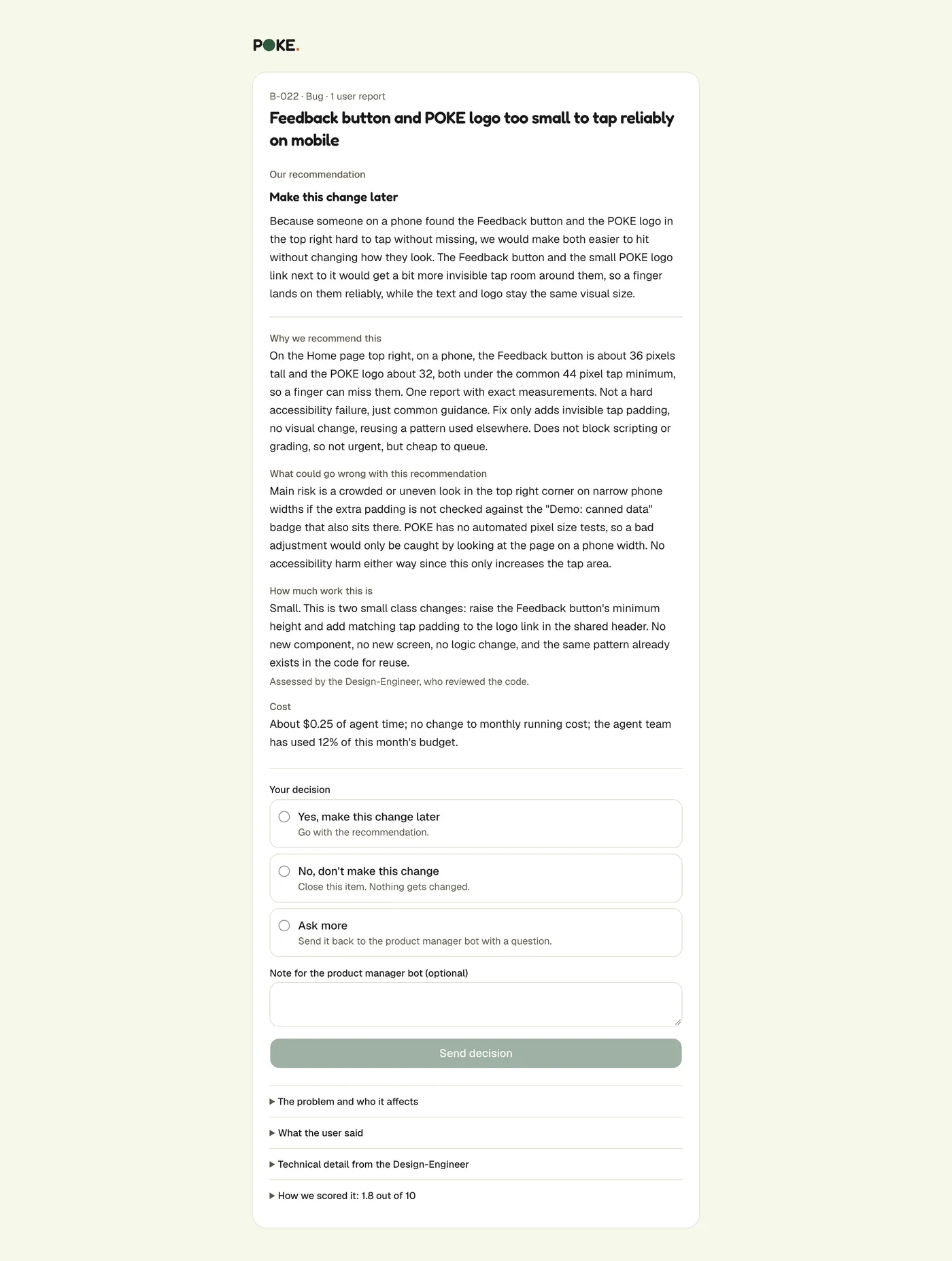
The same recommendation as a page, with Yes, No, or Ask more. This is the whole approval process. Step 7: Approved, then live
Telegram said it was building it. About two minutes later it said the change was live in production. Nobody opened an editor.
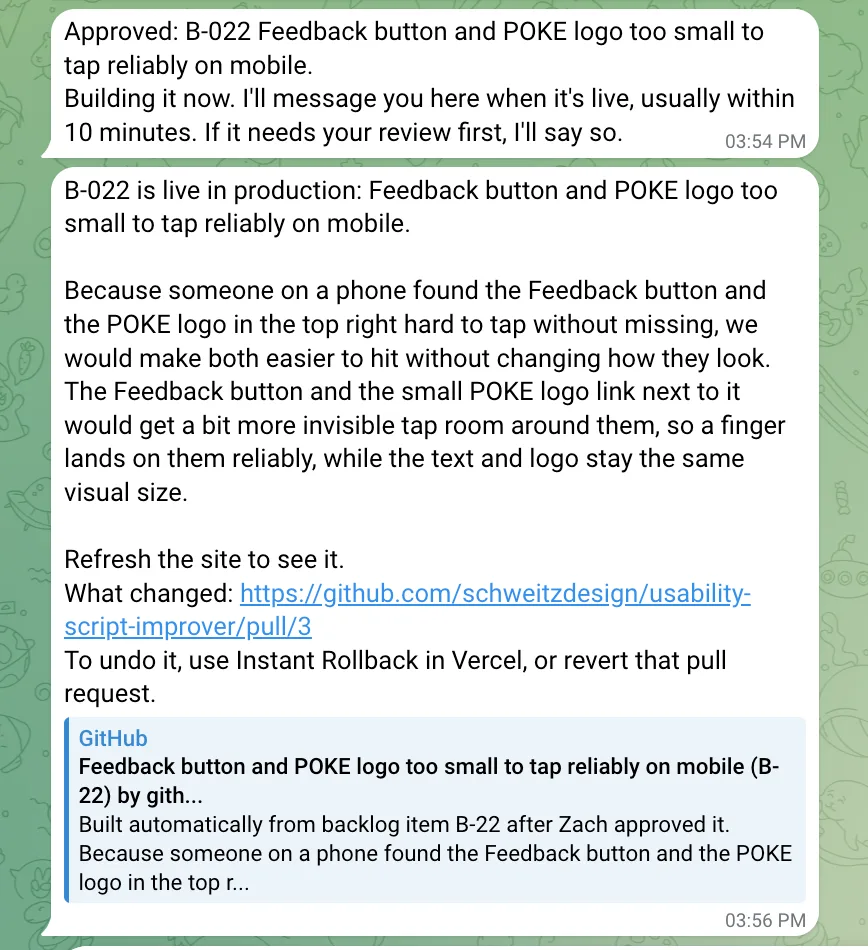
3:54 PM: approved. 3:56 PM: live. The message links to exactly what changed. Step 8: The change, in public
Behind that message, a bot wrote a three-line change, checked it, opened a pull request, merged it, and Vercel deployed it. Claude’s part of the work cost 7 cents.
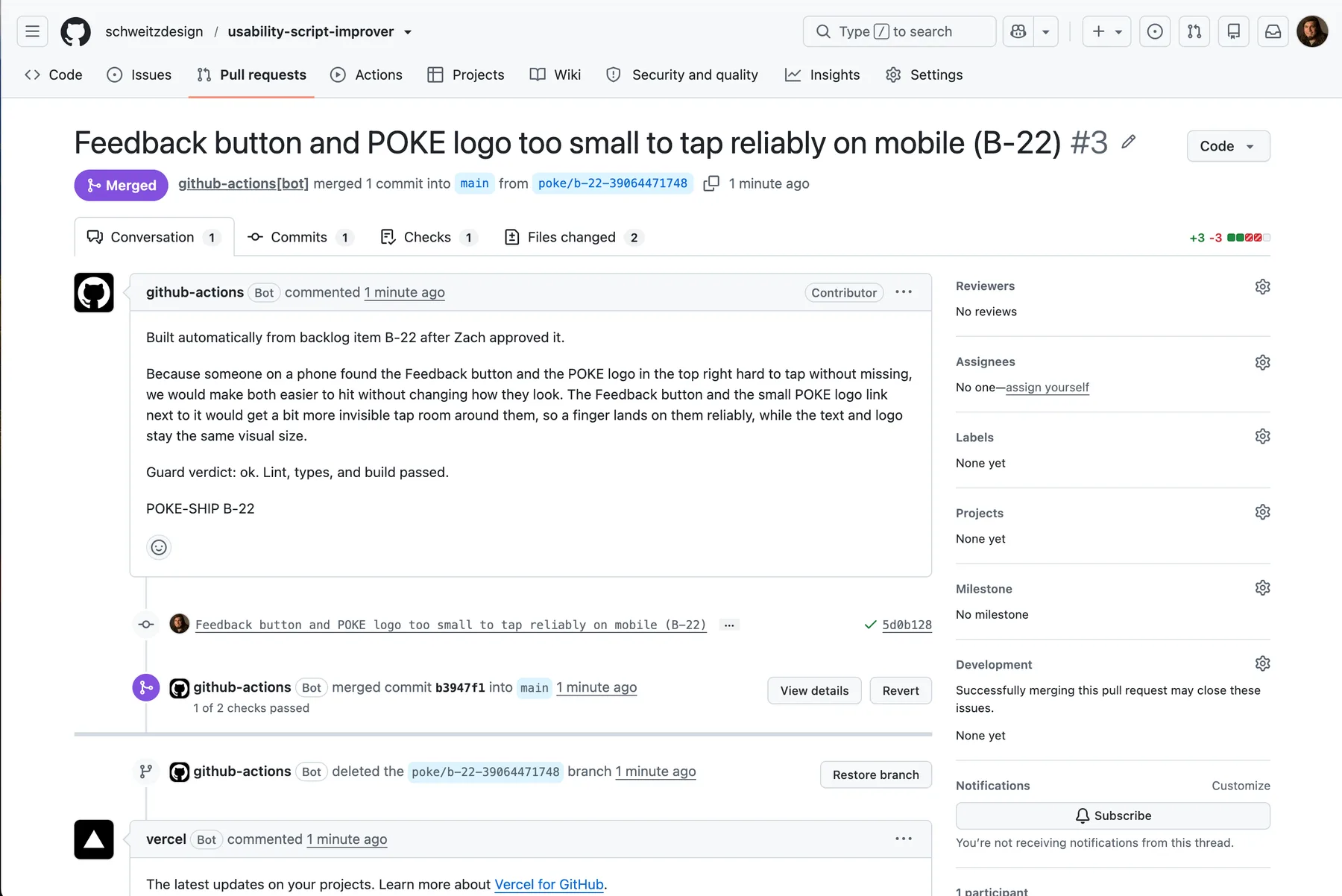
Two files, three lines added and three removed. The pull request is the receipt. Step 9: Measure it again
I hard-refreshed the live site and ran the same measurement. Both now read 44. The bug was reported, fixed, and verified, and none of the code came from me.
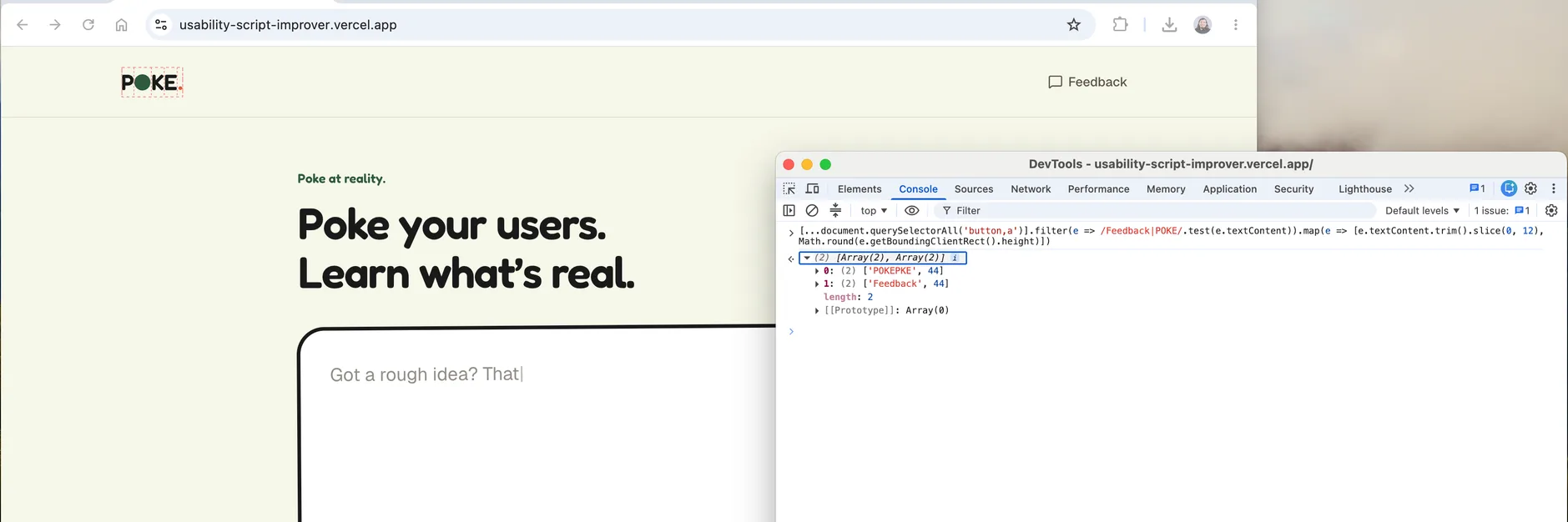
After: 44 and 44, on the live site.
How I kept it safe
An agent that can change a live website deserves a little suspicion. Here is what stands between a bad idea and production.
- No bot has a shell. They read text from the public, so I assume someone will try to trick them. Each bot gets a short list of tools and nothing else. There is no command line to abuse.
- Rules live in code, not in prompts. My bots kept using em dashes after I told them not to. So now the API rejects them. Lengths, required fields, and one-use links are enforced the same way.
- Only small, safe changes ship by themselves. The work has to be Small, the engineer has to flag nothing risky, and the change has to stay inside the visible interface. Anything bigger becomes a pull request for me.
- The builder does not grade its own work. After Claude edits, a separate script checks what changed, then lint, types, and the build run in steps that do not have the API key.
- I can stop it in one line. There is a switch to stop new builds, one to stop the build job, and one to pause every bot. Each AI account has a monthly spending cap.
I also tried to break it. I wrote a fake report that told the builder to steal keys and sabotage the checks. Claude spotted the attack itself and refused, and nothing shipped. I haven’t yet tested the permission rules against a model that actually tries to break out, and I’d rather say so than pretend.
What went wrong
- My cost estimate was about a third of what the agents actually cost. We traced the gap to extra tool-loading steps and cut the PM’s cost by about 39 percent.
- We assumed a locked-down shell was safe enough. A real test showed it wasn’t, so we removed the shell entirely.
- The agent platform would not let a running bot create tasks. We could have sidestepped that rule. Instead we redesigned the hand-off so a plain script does it.
- A fresh copy of the code failed a type check that passed on my machine. The automatic checks caught it before it could break every automatic build.
- One card said “make this change later,” and the change shipped immediately. The label promised a delay the system doesn’t deliver, so we changed the wording to “lower priority.”
What I learned
- I learned what a proof of concept costs in time. About a day or two for the first web app, half a day to stand up the first agent, and another day to get the other agents working together. That is the real price of a proof of concept. How good it is, and how many bugs are left, is a separate question.
- Running the whole stack makes cost tangible. In enterprise product design, the numbers are abstracted away. They are big, someone else manages them, and they carry a lot of complexity. Here I watched real numbers on my own screen, and my estimate for what each ticket would cost was off by about 3x. At this scale it is pennies, but now I can see how wrong a 3x miss would be in a real product.
- Everything is a trade-off. Do I polish the experience, or finish the plumbing first? Do I make the Telegram messages easier for my support team to read, or fix the bugs so those tickets never reach them? Those are the calls you make when you manage the whole business, and here I was managing a team of agent employees: estimating time, watching cost, and choosing what to leave undone.
- Specificity is the greatest accelerator. The more exactly I said what I wanted, why I wanted it, and what I did not want, the better the result.
- Demo-driven design keeps a proof of concept honest. At one point the build started to sprawl, so I picked a small, real, visible bug and made everything serve that demo. The goal was to prove the idea, not to ship, run, and maintain a product. It is the same situation as convincing a board, or answering a stakeholder request without pulling the team off their work.
- Going end to end once tells you the real effort. A rough proof of concept shows you what it would take to do it well, and what it would take to improve it, turn it into a product, and sell it. It matches what I saw across the course: a 40 minute demo can make something work, most things take about half a day to really work, and a dedicated sprint to work pretty well. That is a useful way to estimate.
- The technical lessons, in one line. Plan first, verify by running it, make the bots’ work readable, keep a human tap on every decision, and treat cost as a feature.
Where it stands now
I closed the alpha on purpose. POKE existed to answer one question: could a small team of agents run a product? It could. Keeping it running costs money every month, for a server that hosts the agents, AI calls on every grade and chat, and email, and none of that is needed to show the work. Closing a product deliberately is part of running one, so I did it deliberately instead of letting it quietly break.
The home page now says the alpha has closed and points here and to the demo. Everything that spends money is switched off, and the agent team’s server is shut down. What stays up is this page and the demo, which runs on canned data and calls nothing.
It is reversible. One setting reopens the alpha, and the whole setup is written down well enough to bring the team back.
What’s next
- Validate the app with real users. I haven’t spent much time on the quality of the results yet, and that matters most. I need real feedback on what it is like to use POKE, then I need to tune the guidance it gives. If this were a real product, the core app comes first.
- Harden the agent team. The agents are a proof of concept. For the demo, I narrowed how changes reach production: a known, straightforward bug can be fixed, but real feedback is rarely that clear. It might be a bug, a feature request, a problem with what the AI says, or a problem with how it is presented. It might be about speed, browsers, or screen sizes. Next, I want the team to triage realistic feedback better, make better decisions, and choose safer ways to ship, including testing the builder’s guardrails against a model that is actively trying to get around them.
- The blue sky. Put this out in the wild with enough traffic, and see where the team takes it over a couple of months. The agents could work out product market fit and usability on their own, and it could become a different product than the one I started with, in directions I couldn’t have imagined.
Credits
I built POKE in the Overclock Accelerator, an AI course I took as a cohort with the Project Management Institute (PMI) Software and AI Products team.
The PM bot’s instructions borrow ideas from Dean Peters’ Product Manager Skills, and the Design-Engineer’s from the open design-engineer skill by ddruids. Both were written from scratch, with credit. The agents run on Hermes, from Nous Research, and everything was built with Claude Code and Claude models from Anthropic. The stack is Next.js and Vercel, Supabase, Resend, DigitalOcean, Telegram, and GitHub Actions.
Built by Zach Schweitzer. Try the demo.